
The quote is part of the sale
A buyer comparing two dealers will often be comparing two documents. One is a Word file with a stretched logo, a total with no VAT breakdown and "delivery TBC". The other sets out the machine, every option, the delivery estimate, the trade-in and the total inc. VAT, and tells them exactly how to go ahead. The second one wins more often than its price alone would suggest.
DigDealer produces the second one every time, from the same data the salesperson used to configure the machine.
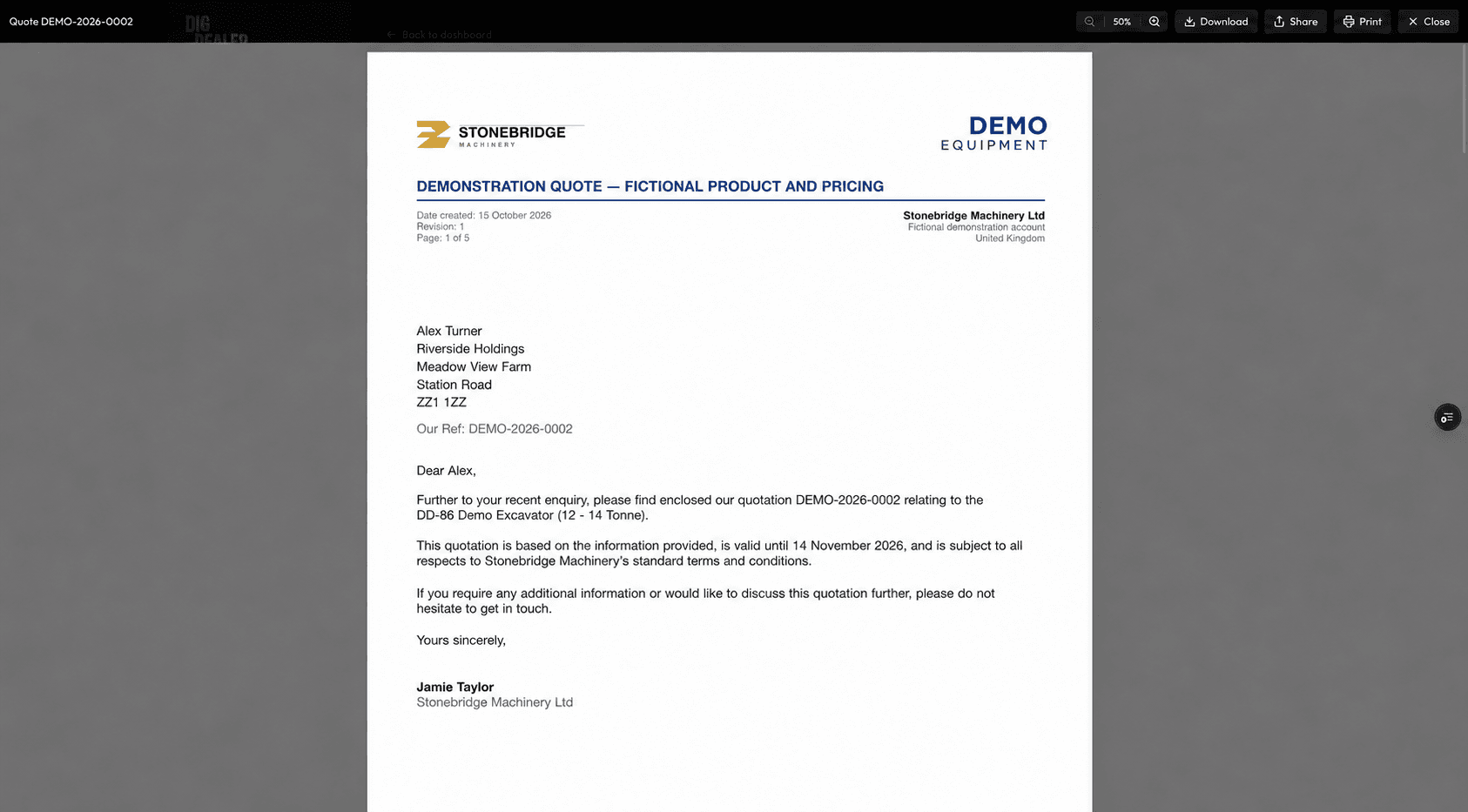
Your dealership, not ours
Owners set the dealership's logo, accent colour, company details, covering letter, terms and signature once. Every quote picks them up. Manufacturer logos can appear alongside yours where the brand allows it. The customer sees your business; DigDealer stays in the background.
- Your logo, colours, company details and bank details
- Covering letter and terms written your way
- Salesperson name and signature on each quote
- Quote references with your own prefix
Everything the buyer needs on one document
Each line shows the item, its price and its lead time, so in-stock and factory-order items are clearly separated. Trade-ins and part-exchange allowances, deposits paid and deposits requested are shown with the balance due. Specifications print with the machine. Long quotes break cleanly across pages with headings repeated, so a five-page quote still reads like one document.
If something changes after the quote has gone, the salesperson edits it and resends. DigDealer numbers the revision, keeps the old one, and can email the update to the customer or save it quietly.
Sent in one step, with a way to say yes
When a quote is signed off, the salesperson checks the email preview and sends it. The customer gets the PDF and a "Review and accept" button that opens the quote online, where they can sign and accept it without creating an account. Your sales inbox is copied in, and the quote appears in the pipeline as sent.
Works hand in hand with
- Digital quote acceptanceCustomers review, sign and accept online or in person, with a signed certificate and a deposit request.
- Machine configuratorBuild a quote from your own catalogue. Options, attachments and prices that actually fit the machine.
- Quote pipeline and customersEvery quote, customer and deposit in one place, with reminders so follow-ups don't slip.
Dealers who rely on it most
- Construction equipment dealersExcavators, dumpers and loaders quoted with the right hitches, buckets and piping every time.
- Forestry equipment dealersMulchers, grapple saws and forestry heads quoted with the machine and coupling details that make them work.
- Attachment dealersRotators, grapples, hitches and breakers quoted with the carrier details that make them fit.
Branded quotation PDFs: common questions
Can the quotation PDF carry our own branding?
Yes. Logo, accent colour, company and bank details, covering letter, terms and signature are all set by the dealership and used on every quote.
Do lead times show on the quote?
Yes. Each line shows a delivery estimate based on whether the item is in stock or a factory order, and a salesperson can override it for a specific quote.
What happens when a quote changes after it has been sent?
The salesperson edits and resends it. The revision number goes up, the previous version is kept, and they can choose whether to email the customer.
Can we show trade-ins and deposits?
Yes. Trade-ins, part-exchange allowances, deposits paid and deposits requested all print with the balance due.
Updated